
Billing help
Changing Your Plan
Learn how to upgrade or downgrade from Billing, see a worked proration example, and know what to expect after you confirm.
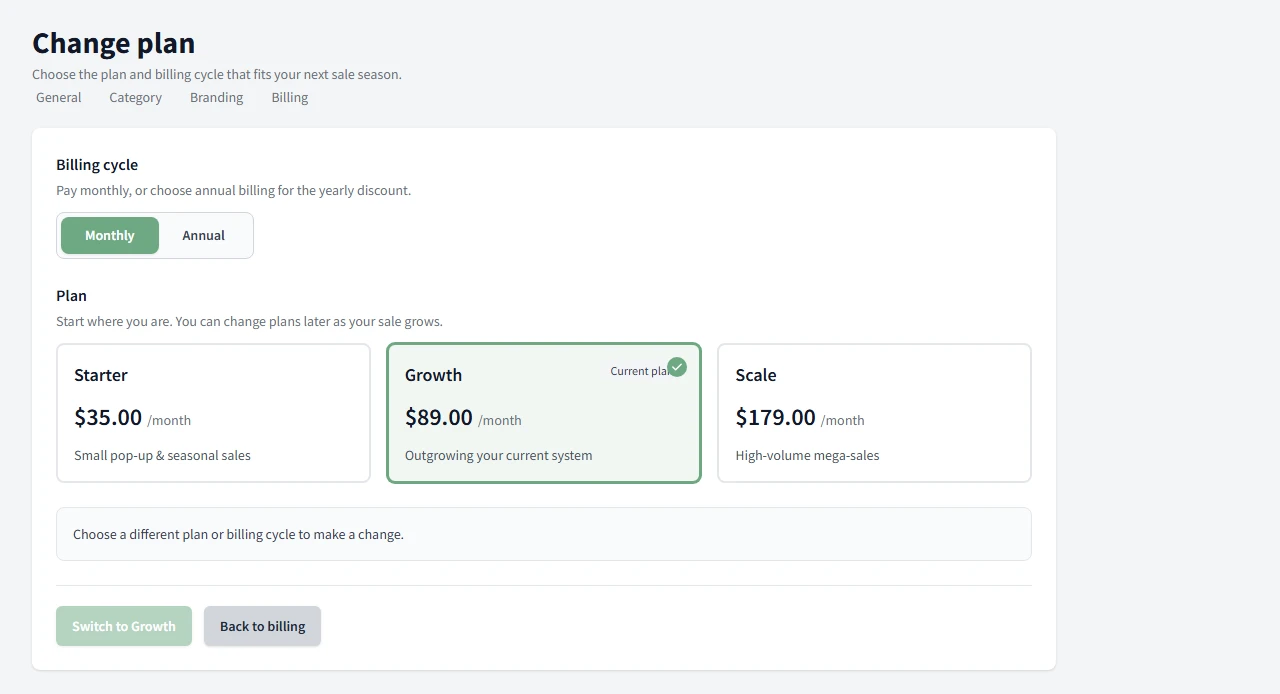
You can change your plan from Billing -> Change plan. Upgrades give you immediate access, and we prorate the difference for the rest of the billing period. Downgrades also take effect now, and we apply a prorated credit toward your next invoice. Unlike setting up billing for the first time, changing your plan does not send you to our payment partner's checkout page. Since you already have a plan active, we charge the same card on file.
What changes when you switch
| Change | What happens |
|---|---|
| Upgrade | You get the higher tier right away and we prorate the difference for the rest of the period. |
| Downgrade | The lower tier starts now and we apply a prorated credit toward your next invoice. |
A worked example
Say you are on Growth ($89 per month) and you are 15 days into a 30-day billing period when you downgrade to Starter ($35 per month). You already paid for the full month of Growth, but you only used about half of it, so we credit roughly $27 (half of the $54 difference between the two plans) toward your next invoice. The exact numbers depend on your billing dates, but the idea holds either way: you are only charged for what you actually use of each plan.
When to use it
Use Change plan when your sale needs more room, or when you want to move to a lighter plan for the next stretch.
The screen shows your current plan, then lets you pick the new tier and billing interval.
After you confirm
The change is sent right away, but it can take a moment for the new plan to show on the Billing page while we confirm it. If the page still shows your old plan right after confirming, give it a few seconds and refresh.
Need the bigger billing picture? Return to the billing help hub.
Common Questions
What happens when I upgrade or downgrade?
Upgrades give immediate access and prorate the difference for the rest of the billing period. Downgrades take effect now and apply a prorated credit toward your next invoice.
When does a plan change take effect?
Immediately, with proration. It can take a moment for the new plan to show on the Billing page while we confirm the change.
Where does a prorated credit actually go?
It is applied automatically to your next invoice. You do not need to request it or contact support.
Do I need to enter my card again to change plans?
No. You already have a plan active, so we charge the same card on file. There is no checkout redirect for a plan change, unlike setting up billing the first time.
Can I switch between monthly and annual billing?
Yes. The billing interval is one of the choices on the Change plan screen, alongside the tier.
Will I lose data if I downgrade?
No. Downgrading only changes your plan tier and price. Nothing is deleted.