
Sale setup help
What's the Difference Between a Sale and an Event?
A sale is your whole season and an event is a dated window inside it where people register and drop off. Here is how they fit together and why a public sale can still show nothing to register for.
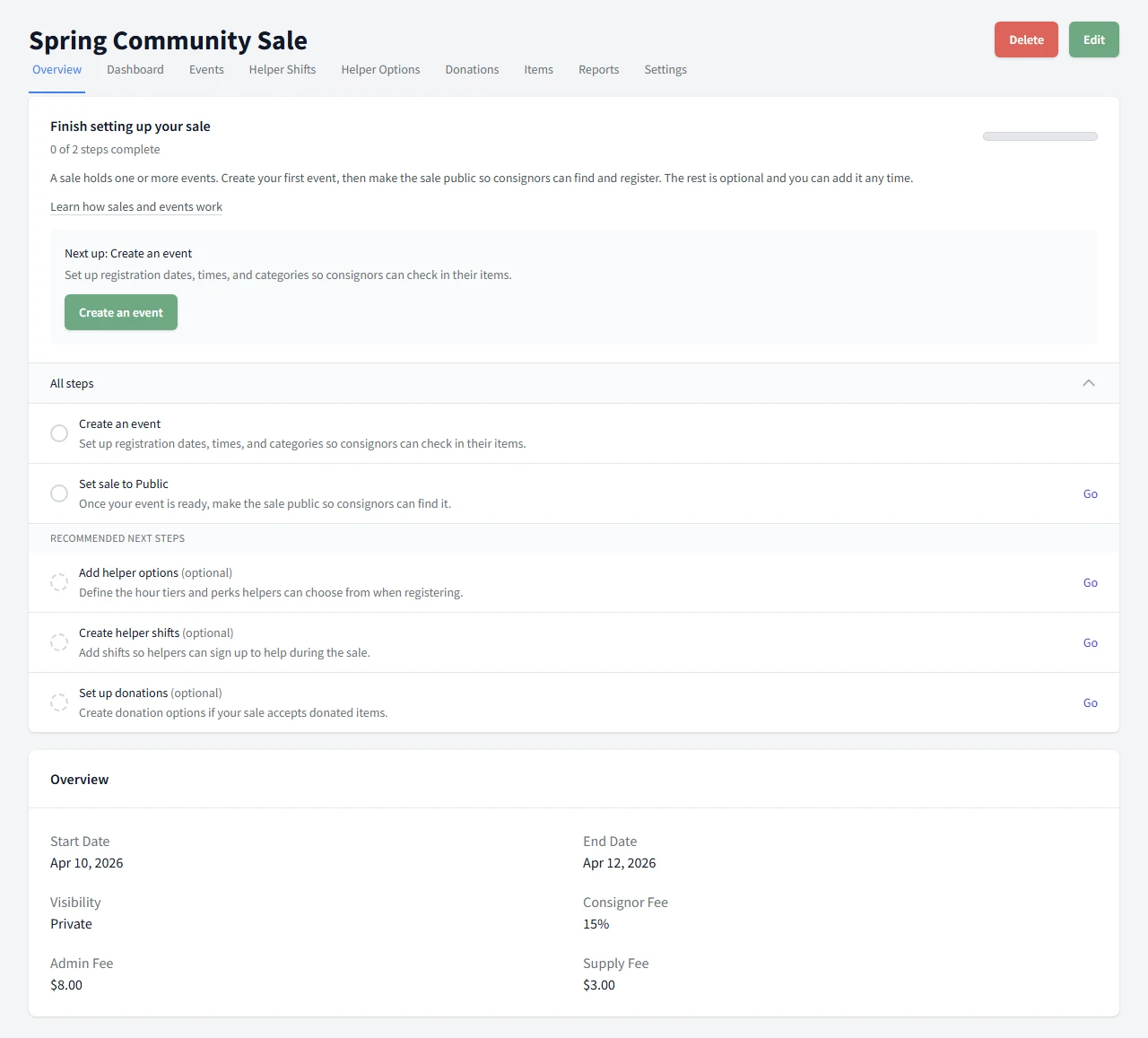
A sale is the whole setup for a season, and an event is one dated window inside that sale where people register or drop off. You can have one event or several events in the same sale.
What's the difference
Think of the sale as the container and the event as the dated step inside it. The sale holds the overall setup for the season. An event carries the registration window for one part of that season, along with the categories it offers and who is allowed to register.
How they fit together
One sale can hold one or more events. For example, you might create one event for consignor drop-off and another for a public shopping day, both inside the same sale. Most sales only need one event, so do not feel you have to create more than one.
The setup helper in the app treats creating your first event and making the sale public as the required steps. Volunteer options, shifts, and donations are recommended next steps you can add along the way.
Setting them up in order
- Create the sale first. This is the container for the season.
- Add at least one event inside that sale.
- Set the event times so people know when to register or show up, and so consignors have a drop-off slot to pick.
- Make the sale public when you are ready for consignors to find it.
What trips people up
The most common confusion is "I made my sale public but no one can register." A public sale is only half of what has to be true. Here is what the app actually checks before a consignor can do anything.
To register, the sale must be public and have an event
Consignors only see sales that are public. A private sale never appears to them. But making a sale public is not enough on its own. The sale also has to contain at least one event. A public sale with no events shows up empty, with nothing inside to register for.
Example. You create a sale and switch it to public right away, planning to add the event later. A consignor opens it and finds no event to join. The fix is to create the event. As soon as the sale is public and has an event, that event appears for registration.
The event needs at least one registration option turned on
An event with no registration options offered gives a consignor no way to sign up, even though the event is there. If you have an event that shows up but cannot be joined, check that at least one registration option is turned on for it. There is a separate help article on those options.
To add items, the event also needs a category
Registering and adding items are two different things. Adding items has one more requirement on top of a public sale with an event. The event has to offer at least one category, because a consignor must pick a category and a size for every item. If the event offers no categories, the item form opens with nothing to choose. The categories article covers how to add a category to an event.
Where to go next
If you want the click-by-click setup path, start with Create a Sale and then read Set Up Events.
Need the full help set? Return to Setting Up Your Sale.
Common Questions
Do I need more than one event?
No. A sale can have one event or several. Use more than one only when you need separate registration windows or different audiences, like a consignor drop-off event and a separate shopping event.
I made my sale public but no one can register. Why?
Two things have to be true. The sale must be public, and it must have at least one event with at least one registration option turned on. The most common cause is publishing the sale before you have created an event, so there is nothing inside it to register for yet.
My sale is public and has an event, but consignors still cannot add items. Why?
Adding items has one extra requirement. The event needs at least one category offered on it, because a consignor has to pick a category and size for every item. If the event offers no categories, the item form has nothing to choose. See the categories article for how to add one to an event.
Can I add events after the sale is public?
Yes. You can add more events to a public sale at any time without taking the sale down.
Is a sale the same thing as an event?
No. The sale is the outer container for the whole season. An event is one dated registration window inside that sale. One sale can hold several events.